
Download Theme Butler – AI Icon Generator Review, Free & Secure Tool
Overview – What Is Theme Butler?
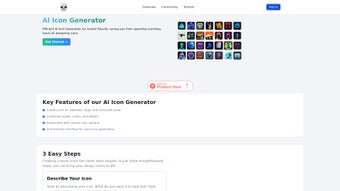
Theme Butler is an AI‑driven icon generator that transforms plain‑language prompts into fully‑styled vector icons in seconds. Targeted at web designers, mobile developers, and marketing teams, the service eliminates the need for manual illustration by letting users type a description such as “a modern blue lightning bolt for a fintech dashboard,” select a visual style, and receive a ready‑to‑download set of icons. The engine runs on cloud‑hosted neural networks, meaning the heavy AI computation happens on Theme Butler’s servers, not on the user’s device. This architecture guarantees fast response times even on low‑end hardware and ensures that the latest model updates are instantly available without any user‑side patches.
The platform is accessed through a web browser, so it works on Windows, macOS, Linux, Android, and iOS without requiring a traditional installation. Security is built into the workflow: all data transfers use HTTPS, sessions are encrypted end‑to‑end, and generated assets are automatically purged after the user logs out unless explicitly saved to a personal library. A generous free tier offers up to 20 icon generations per day, while paid plans unlock higher‑resolution exports, brand‑specific style packs, and an API for automated pipelines. In the sections that follow we will explore the core features, walk through the quick‑start process, examine cross‑platform compatibility, and answer the most common questions you may have before deciding whether Theme Butler fits your design workflow.
Core Features & Benefits
- Natural‑Language Prompt Engine: Convert simple text descriptions into polished icons.
- Extensive Style Library: Over 30 modern styles ranging from flat to hand‑drawn.
- Custom Colour Palettes: Real‑time colour picker with HEX support for brand consistency.
- Vector Export Options: SVG, PNG (72‑300 dpi), and PDF formats for any use case.
- Batch Generation: Produce up to 10 variations of an icon with a single click.
- API Access (Premium): RESTful endpoint returns base64‑encoded SVG for CI/CD integration.
- Secure Session Handling: End‑to‑end encryption and automatic deletion after logout.
- Collaboration Links: Share a live generation link for instant feedback.
- Version History: Track and revert to previous icon versions within the library.
- Progressive Web App (PWA): Install a desktop shortcut for offline‑like access.
Why These Features Matter
From a designer’s perspective, the natural‑language engine dramatically reduces the learning curve; you no longer need to master vector tools to produce a professional icon set. The style library ensures visual consistency across projects, while custom colour palettes let you stay on‑brand without exporting to external editors. Batch generation is a time‑saver for UI kits that require multiple states (default, hover, active).
For developers, the API removes the manual step of downloading and importing assets, allowing code to request icons on the fly and embed them directly into a web page or mobile app. Security‑focused features, such as encrypted sessions and auto‑deletion, address common IP concerns for agencies handling confidential client work. Overall, the combination of ease‑of‑use, scalability, and enterprise‑grade safeguards makes Theme Butler a compelling addition to any design or development pipeline.
Pros
- Instant icon generation with high visual fidelity.
- Intuitive text‑prompt workflow reduces design skill barrier.
- Rich style and colour options cover most modern design trends.
- Vector exports ensure unlimited scalability.
- Secure, encrypted sessions protect proprietary concepts.
- Free tier is generous enough for occasional use.
- API enables automation for large teams.
Cons
- Ambiguous prompts may require several iterations.
- Requires an internet connection; no true offline mode.
- Premium pricing can be steep for high‑volume enterprises.
- Custom style creation is locked behind paid plans.
- Free accounts have limited version‑history retention.
Installation, Usage & Compatibility
Supported Platforms
Because Theme Butler is delivered as a cloud‑based web app, it runs on any device with a modern browser. Below is a quick compatibility matrix:
- Windows 10/11: Chrome, Edge, Firefox – full feature set.
- macOS Catalina+: Safari, Chrome, Firefox – full feature set.
- Linux (Ubuntu, Fedora, etc.): Chrome or Firefox – full feature set.
- Android 8.0+: Chrome mobile – full feature set.
- iOS 13+: Safari and Chrome – full feature set.
Step‑by‑Step Quick Start
- Open the Web App: Navigate to https://themebutler.com. No download or installation is required.
- Create an Account (Optional): Register with email or use Google/GitHub OAuth to unlock higher generation limits and save your preferences.
- Enter a Prompt: Type a concise description, e.g., “a minimalist green leaf for a health app.”
- Select a Style & Colours: Choose a style thumbnail, then adjust primary and secondary colours via the colour picker or HEX input.
- Generate & Refine: Click “Generate.” The AI returns 3‑5 variations within seconds. Use “Regenerate” or tweak the prompt for better results.
- Download: Choose SVG for scalability or PNG/PDF for raster needs. Files are saved instantly to your local device or to the online library.
Advanced: API Integration
Paid users receive an API key from the dashboard. A typical POST request to https://api.themebutler.com/v1/generate includes a JSON payload with prompt, styleId, and colorPalette. The response contains a base64‑encoded SVG that can be decoded and embedded directly into code, eliminating the need for manual asset handling. Sample snippets are provided for JavaScript, Python, and Ruby, making integration straightforward for development teams.
Overall, the onboarding experience is designed to be completed in under five minutes, and because the service updates automatically on the server side, users always benefit from the latest AI models and style packs without any extra effort.
Conclusion, FAQ & Call to Action
Theme Butler delivers on its promise of fast, AI‑powered icon creation while maintaining a strong focus on security and cross‑platform accessibility. The combination of a natural‑language prompt system, a diverse style library, and vector export options makes it a valuable asset for freelancers, small agencies, and larger teams alike. While the reliance on an internet connection and occasional prompt ambiguity are minor drawbacks, the overall productivity boost and cost‑effective free tier outweigh these concerns for most users.
Frequently Asked Questions
Can I use the icons for commercial projects?
Yes. All icons generated under your account are royalty‑free for commercial use, with premium plans providing an explicit unlimited commercial licence.
Which file formats are available?
SVG, PNG (multiple DPI options), and PDF are all supported for download.
How many icons can I generate on the free plan?
The free tier allows up to 20 icon generations per day, enough for occasional use or small projects.
Is my data secure?
All communication uses HTTPS, sessions are encrypted, and generated assets are deleted automatically after logout unless saved to your library.
Can I integrate Theme Butler with design tools like Figma?
While there is no native plugin, the API can fetch SVGs that you can import into Figma, Sketch, or Adobe XD via community scripts.
If you’re ready to streamline your icon workflow, click the button below to launch the web app, generate your first set of icons, and experience AI‑driven design firsthand.
Theme Butler stands out as an efficient, AI‑powered solution that streamlines icon design without sacrificing quality. Its free tier is generous, and the premium features add genuine enterprise value.



.png)



